Managing discarded vulnerabilities
Last updated: June 18, 2026
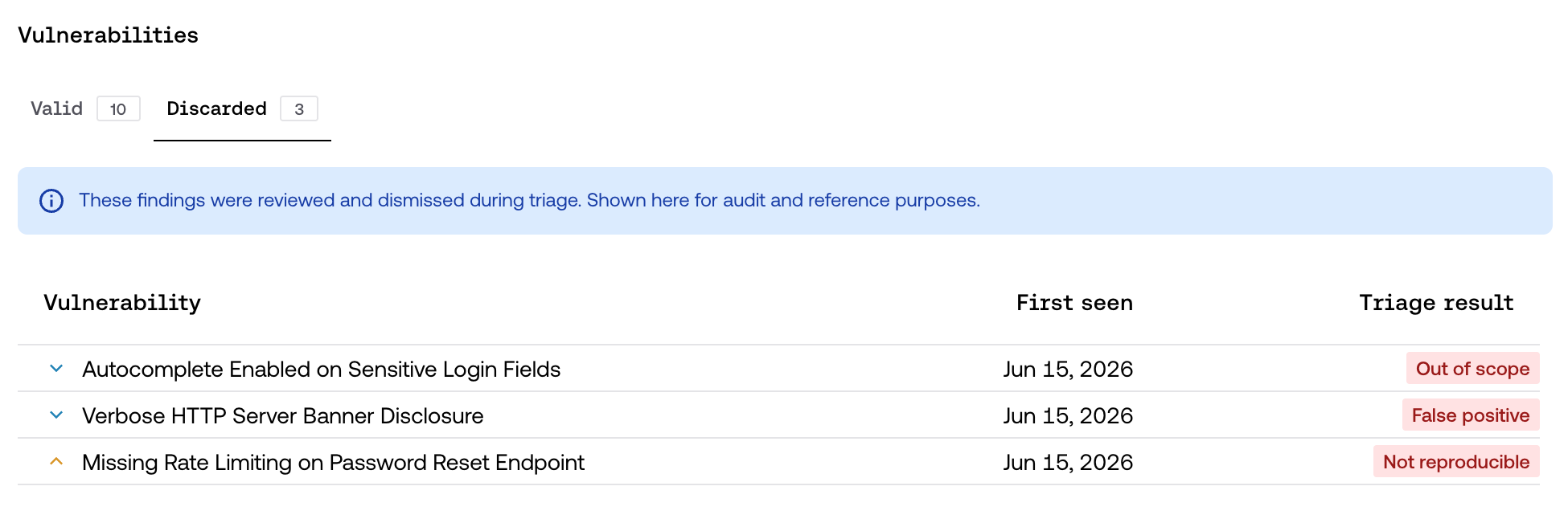
During the triage process, some findings are determined to be invalid and are discarded. From now on, these discarded findings are visible on the platform, in a section clearly separated from your active vulnerabilities.
The goal is to give you full transparency: you see not only the confirmed findings, but also everything Strike evaluated and decided to discard, along with the reason.
What a discarded vulnerability is
A vulnerability is discarded when, upon completing its triage, it receives a result other than Valid. The possible reasons are:
False positive — not a real vulnerability.
Not reproducible — the base behavior could not be reproduced.
Out of scope — the asset, host, or functionality is outside the engagement scope.
Duplicate — the finding is real, but it was already reported previously.
Needs more context — information needed to reproduce it is missing.
Needs more evidence — the bug is plausible, but its impact isn't sufficiently demonstrated.
👉 Discarding a finding is a normal, expected part of the testing process: it reflects the noise filtering that makes confirmed findings trustworthy.
Where they're shown
Discarded vulnerabilities are never mixed with valid ones. They live in a separate section, so your main view stays focused only on the findings that require action.
💡 This lets you review what was discarded and why whenever you need to — for example during an audit or when validating testing coverage — without that detail interfering with your day-to-day work on active findings.
Why you now see these findings
Previously, only confirmed vulnerabilities were shown. With the new visibility configuration, by default you can now also see discarded findings.
This follows a simple principle: giving you full visibility into the work performed. Each discarded finding was evaluated by the AI Triager and/or the Strike team, and its triage history shows the detail of that decision.
👉 To understand how each assessment is recorded, see the Triage history and AI-assisted validation article.
Best practices
✔ Use the discarded section to audit testing coverage
✔ Check the triage history if you want to understand why a finding was discarded
✔ Keep your operational focus on active vulnerabilities